

Summary
Badges represent recognition associated with an account. The screen separates your badges from the catalog of available options. Seeing a badge in the catalog does not automatically award it to you.Who it is for
- People reviewing recognition they have received.
- Account holders managing how badges are presented.
- Users exploring the badge catalog.
How to open
1
Enter the dashboard
Use the account whose badges you want to review.
2
Open Settings
Find the badges option.
3
Review your collection
Check badges associated with your account before changing their presentation.
Screens and features
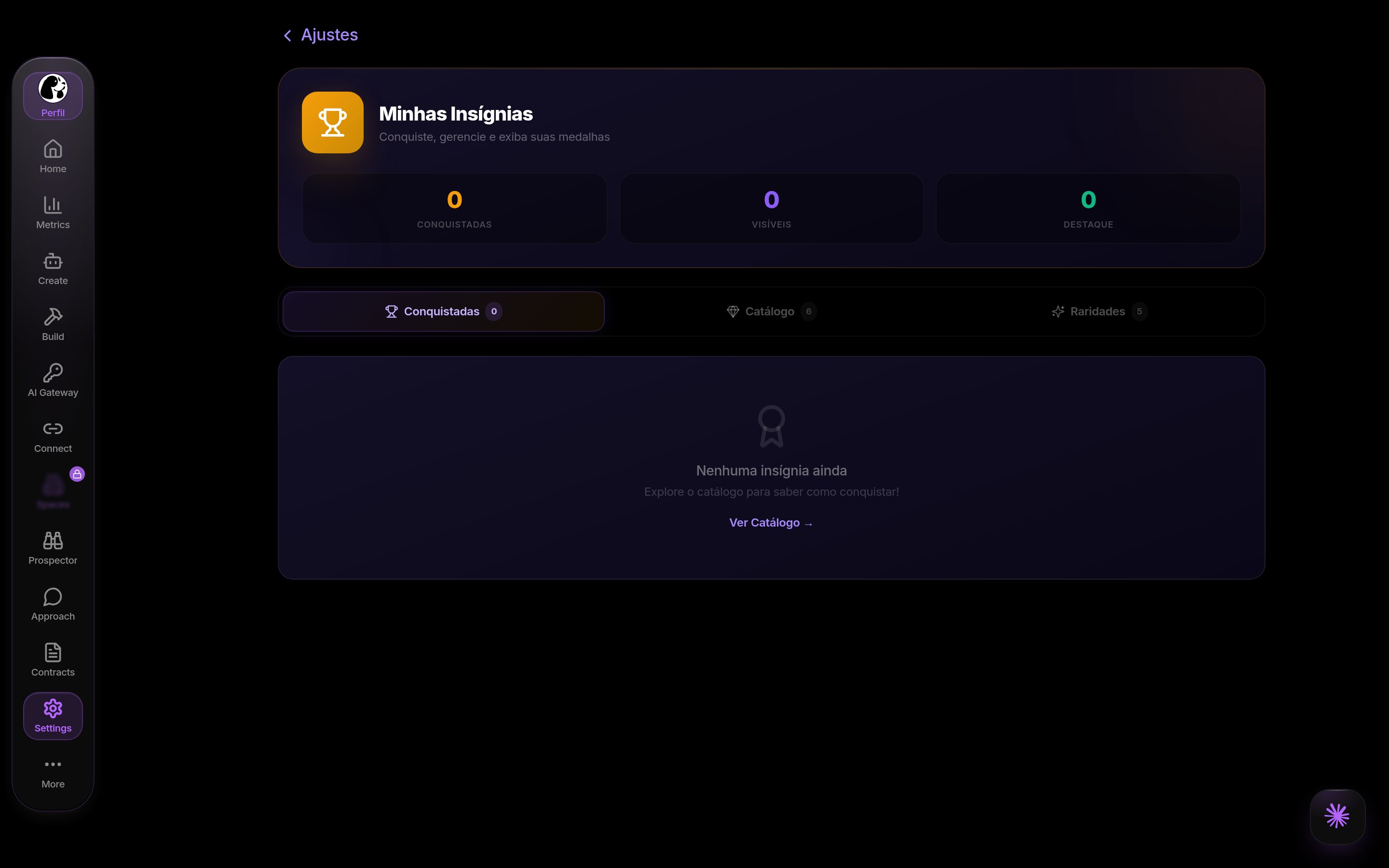
Badges in DoglyTdc
Your badges
The collection shows recognition received by the account. Each item may include a name, description, and date earned. A missing collection item cannot be restored using visibility controls. Those controls only change badges you already own.Visibility
The visibility option controls whether a badge is marked as visible. This setting is independent of featured status. Hiding a badge does not remove it from your account.1
Choose an earned badge
Open your personal collection.
2
Change visibility
Enable or disable the item’s display control.
3
Check the result
Review the displayed state and reload if needed to confirm it was saved.
Featured status
Featured status has its own switch. A badge can be marked as featured without changing the visibility control. Review both controls when changing presentation. Featured status does not grant additional permissions.Catalog
The catalog presents badge options known to the platform. Some options describe recognition or participation. The catalog is not an automatic award button. Viewing or selecting a catalog item does not guarantee receiving it.Counters
The screen counts badges and states such as visible and featured. These counts reflect the corresponding controls. They are not a score that grants product access.Limits
- You can only adjust badges associated with your account.
- Visibility and featured status are independent.
- The catalog does not guarantee automatic awards.
- Final presentation depends on the area displaying the badge.
Permissions
Sign in to view your collection and save changes. Personal controls do not let you award badges to other users. Presentation management is different from catalog administration.Common errors
Badge controls do not define their own user-facing error messages. There is no automatic award message to look for. If the collection does not load, check your connection and reopen it.Frequently asked questions
Does hiding a badge remove it?
Does hiding a badge remove it?
No. It changes visibility, not its association with your account.
Does featuring a badge make it visible?
Does featuring a badge make it visible?
These states are independent. Check each switch.
Does the catalog award badges?
Does the catalog award badges?
Not automatically. It displays existing options.
Does a badge change my team role?
Does a badge change my team role?
Do not use a badge as evidence of administrative permission.