

Summary
DoglyTdc Pay brings together payments received, products and financial tracking. The available payment methods are PIX and DoglyTdc Pay Balance. The product supports BRL and USD. Always distinguish the balance currency from the transaction currency. This page introduces the application. Integration details are in the Pay documentation.Who it is for
- Sellers using the platform.
- People tracking orders and payments received.
- Users spending their balance in supported Pay operations.
- Developers integrating payments.
- People responsible for payment event tracking.
How to open
1
Sign in
Open DoglyTdc using the account responsible for the operations.
2
Open Pay
Select DoglyTdc Pay from the applications.
3
Choose an area
Use Pay navigation to view balances, sales or products.
Screens and features
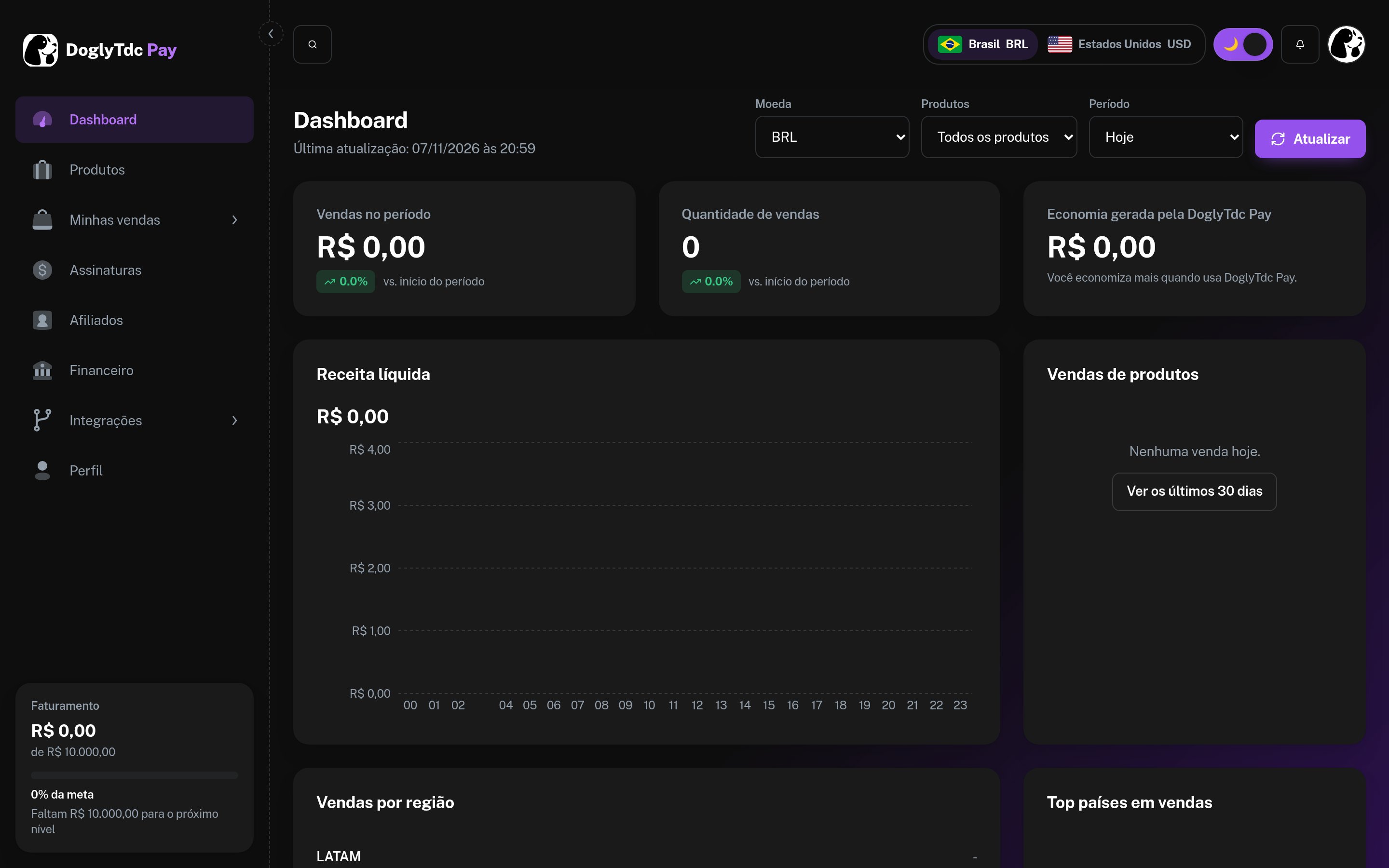
DoglyTdc Pay dashboard
Financial overview
Pay presents sales and amounts by currency. Check the selected period when comparing figures. An amount in BRL must not be read as a USD balance. The summary does not replace individual order details.Balance and transfers
BRL and USD balances are available. USD balance comes from sales and transfers. Do not treat PIX as a way to add USD. Check currency, recipient and amount before confirming a transfer. See Retrieve balance.Products
The product area includes creating and editing sales information. The wizard validates price, currency and images. Accepted image formats are JPG, PNG and WEBP. Images can be up to 8 MB. See Receive your first sale.Checkout and links
Payment links take the buyer to the payment flow. Payment uses PIX or Balance, depending on the operation’s options. Check the order status to track the outcome. Simply opening checkout does not confirm payment.1
Prepare the offer
Check the product, price and currency in the sales area.
2
Create checkout
Use the available checkout or payment-link feature.
3
Track the order
Review payment details and status in Pay.
API and webhooks
Integrations use Pay-specific credentials. Webhooks let you track events without keeping a screen open. Do not publish credentials in browser code or messages. This overview does not replace the endpoint reference.Credits and limits
Pay’s financial balance is not the same as AI credits. Check BRL and USD amounts in their respective currency. The product wizard reports a minimum price of R$5,00 or$5.00. For integrations, consult Rate limits. Do not assume automatic currency conversion.Permissions
Use the account responsible for the financial data you need. Do not share integration credentials with buyers. Interface access and API authentication are separate contexts. Review permissions before connecting an application.Common errors
The following are original interface messages.Frequently asked questions
Which payment methods does Pay offer?
Which payment methods does Pay offer?
PIX and DoglyTdc Pay Balance, depending on the available flow.
How does USD balance enter the account?
How does USD balance enter the account?
Through sales and transfers. Do not confuse it with PIX receipts in BRL.
Where is the technical documentation?
Where is the technical documentation?
In Pay’s dedicated documentation, covering authentication, endpoints, webhooks and limits.