

Summary
AI Chat brings conversations with AI models into a messaging interface. Choose a model and adjust reasoning effort when the model supports it. Text charges use measured tokens rather than a single price per message. Shared conversations are read-only views. Sharing does not give the recipient editing access to the original.Who it is for
- People drafting or reviewing content.
- People exploring ideas with different available models.
- People tracking usage and credits per response.
- People sharing a conversation without sharing control.
How to open
Go to Dashboard › AI Chat, using?tab=chat-tdc. The dashboard forwards you to the dedicated chat interface. Sign in to access your conversations.
Available controls depend on the model and conversation mode. Not every model supports the same effort levels.
Screens and features
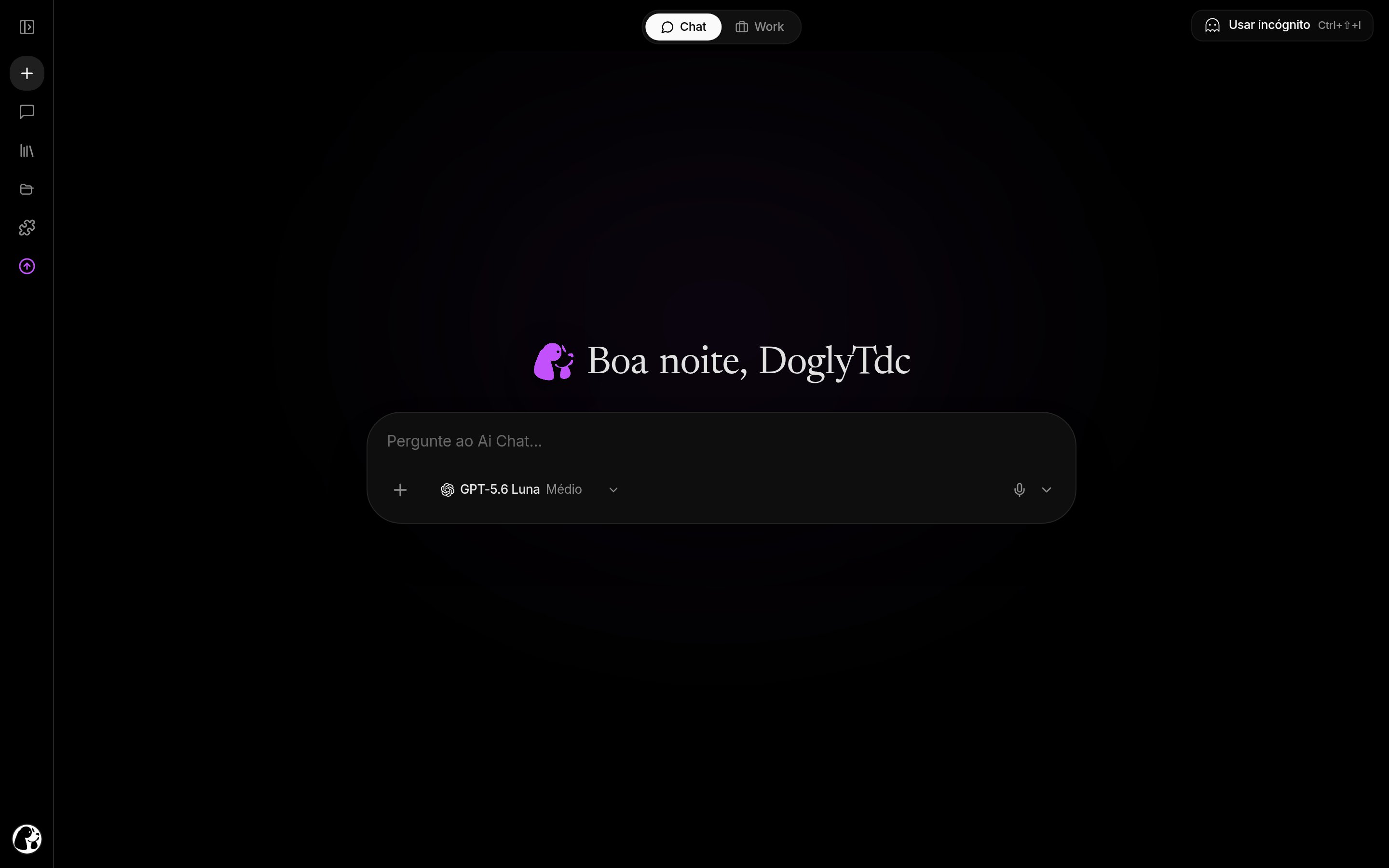
AI Chat in DoglyTdc
Conversations
Open an existing conversation or start a new one. Earlier messages provide context for later responses. Check that you are in the right conversation before sending information.1
Open a conversation
Start a conversation or select one from your history. Review its topic before adding text or files.
2
Choose a model
Use the model selector. Set effort if that control is available.
3
Send your request
Describe your goal and provide the necessary context. Wait for the response before repeating the request.
4
Review the result
Check the answer and its usage details. Send a follow-up instruction when you need a revision.
Model and effort
The effort control uses discrete levels. It is not a free-form field for arbitrary reasoning values. Supported levels depend on the selected model. If the requested model is unavailable, the chat may report a replacement model. Check this notice before comparing results.Responses and usage
Responses include copying actions and usage details. When measurement is available, details show response tokens and credits. Those details may still be incomplete while the response is streaming. Long conversations may have their context compacted. This manages context size; it does not provide unlimited memory.Voice
The chat includes voice and transcription features. They depend on microphone permission and a working connection. A transcription failure may require another attempt. Speak close to the microphone and reduce background noise. Do not assume text pricing automatically applies to other modes.Sharing
A shared view displays the conversation content made available for reading. It may be limited to a specific number of messages. It is not a collaborative editing session.1
Review the content
Check the messages before sharing the conversation. Remove sensitive material from what you intend to disclose.
2
Share the view
Use the conversation sharing action and send the resulting address. Recipients access the available read-only view.
Credits and limits
- Text charges depend on measured tokens and the model used.
- Effort can affect processing and usage.
- Inspect response usage instead of counting messages alone.
- Long conversations may require context compaction.
- Request limits can temporarily prevent new submissions.
- There is no universal fixed price for every message or mode.
Permissions
An authenticated session is required to send messages from your account. Voice features require browser microphone permission. A shared conversation does not grant permission to modify the original.Common errors
These are actual Portuguese interface messages, retained for recognition.Frequently asked questions
Does every message cost the same?
Does every message cost the same?
No. Text uses measured tokens; the model and actual usage affect the charge.
Does higher effort guarantee accuracy?
Does higher effort guarantee accuracy?
No. Effort controls processing, but you still need to review the answer.